
What it does
Let customers upload a bank transfer receipt or other proof of payment at WooCommerce checkout. GoUp Checkout Proof of Payment Upload adds a secure, gateway-aware receipt upload to WooCommerce checkout. Require one proof file when a customer chooses selected manual or offline payment methods, validate it on the server, attach it to the completed order, and give authorized staff—and optionally the owning customer—protected access without placing the file in the Media Library.
Step-by-step guide: How to Let Customers Upload Proof of Payment (Bank Transfer Receipt) at WooCommerce Checkout
Screenshots
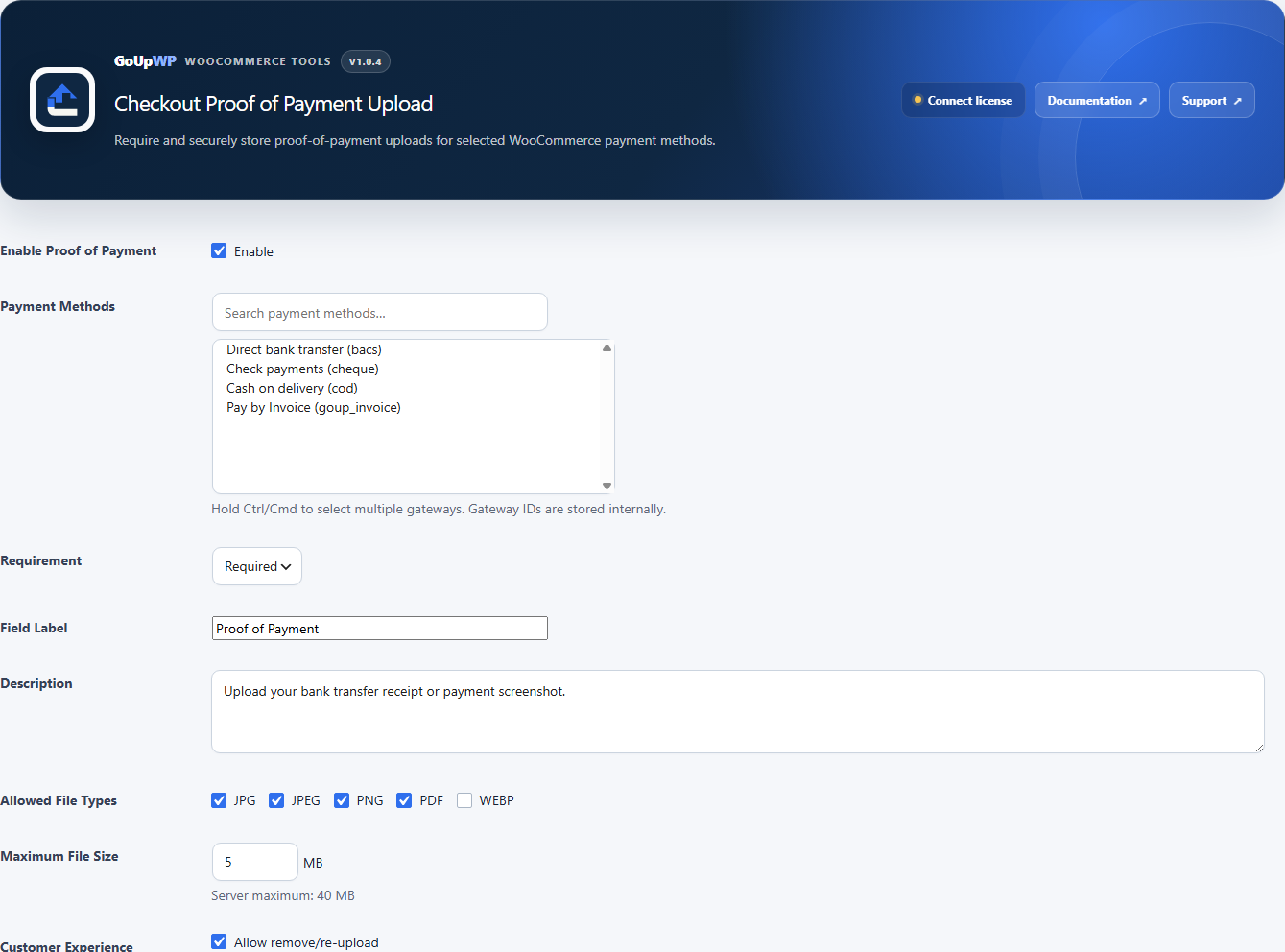
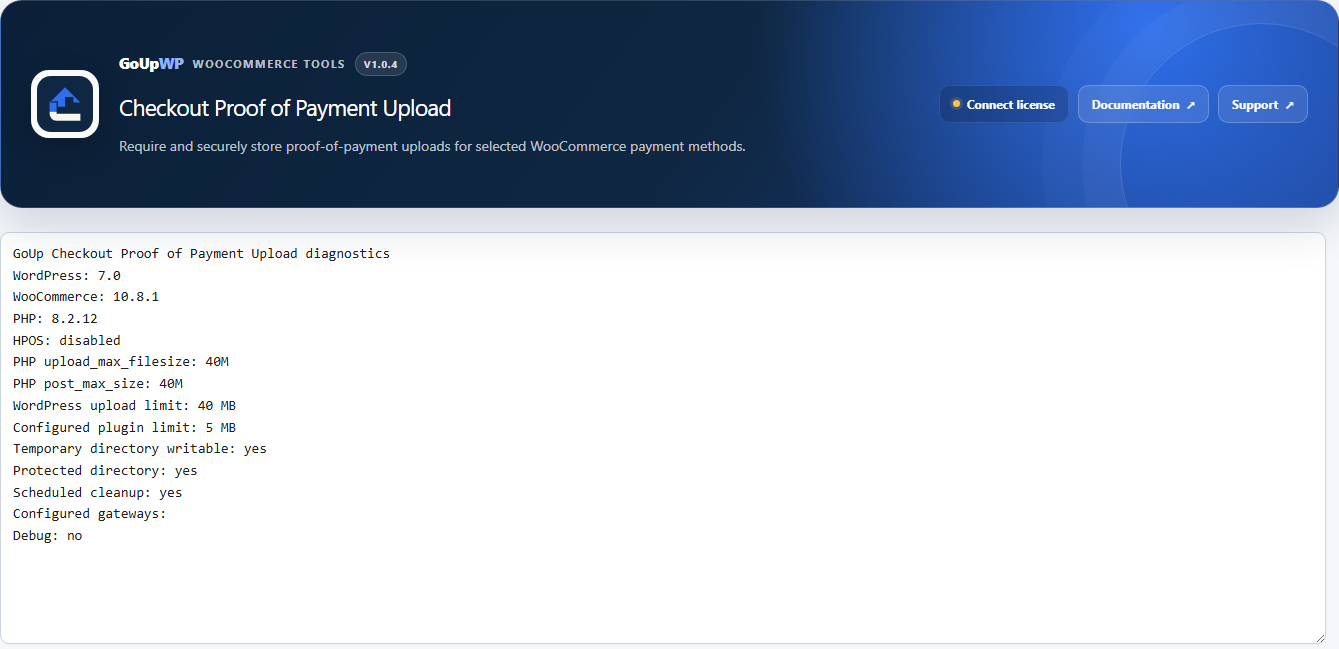
Common use cases
- Collect a bank-transfer receipt before a customer places an order
- Accept a payment screenshot for a manual or offline gateway
- Keep payment evidence attached to the correct WooCommerce order
- Let a signed-in customer retrieve their own proof while blocking access to other customers’ files
Features
- Require or request one proof file only for the payment gateways you select
- Support classic checkout and Checkout Blocks with server-side validation
- Accept JPG, JPEG, PNG, and PDF by default, with optional WEBP and a configurable size limit
- Store randomly named files outside the Media Library and protect access through authorized downloads
- Bind temporary uploads to an expiring customer session token and clean abandoned files every hour
- Use WooCommerce CRUD for HPOS-compatible order metadata, plus WordPress privacy export and erasure tools
How it works
- Download the plugin ZIP from your GoUpWP account.
- In WordPress, open Plugins → Add New → Upload Plugin, then install and activate it with WooCommerce active.
- Open WooCommerce → Proof of Payment and select the gateways that require an upload.
- Configure requirement behavior, allowed file types, and the maximum file size, then test classic checkout and Checkout Blocks before launch.
Compatibility and requirements
Frequently asked questions
Can customers upload a bank transfer (BACS) receipt at checkout?
Yes. Enable the requirement for Direct Bank Transfer (or any manual gateway) and a file field appears at checkout. The receipt is validated on the server, stored outside the Media Library, and attached to the order for staff to review.
Which file types can customers upload?
JPG, JPEG, PNG, and PDF are allowed by default. WEBP can be enabled. Executable or web-active formats such as PHP, SVG, HTML, and JavaScript are not supported.
Are proof files visible in the WordPress Media Library?
No. Files use random physical names and are stored separately from Media Library attachments. Downloads pass through an authorization check instead of exposing a filesystem path.
Who can view or download a payment proof?
Authorized store managers can access it from the order. When enabled, a logged-in customer can access the proof belonging to their own order. Guest proof URLs are not exposed.
Does it support Checkout Blocks and HPOS?
Yes. It integrates with Checkout Blocks through the Store API and official Blocks integration points, and writes order metadata through WooCommerce CRUD APIs for HPOS compatibility.
Does it support the WooCommerce order-pay page?
Standard checkout is the supported version 1.0 workflow. Order-pay behavior varies by gateway and is not declared fully supported, so merchants should test their specific manual gateway before using proof requirements there.
Customer reviews
No reviews yet. Reviews come only from customers who hold a license for this plugin.
Updates, support, and cancellation
Every license covers one production website plus one staging or local development site, and includes maintained releases, automatic updates, fresh downloads, and product support during its term. Annual licenses renew automatically until cancelled. Two-year licenses are prepaid and renewed manually; lifetime licenses never expire. If a fixed-term license ends, your installed plugin continues working at its current version.
Changelog
1.0.5 26 September 2026 · tested with WordPress 7.1
- Security: validate every supplied upload token before creating an order, including when proof is optional, and bind anonymous uploads to a stable opaque browser session.
- Security: re-verify stored file type and MIME at download time, force non-image files to download, tighten target-order permissions, and prevent extension/MIME filters from enabling unsafe formats.
- Abuse protection: enforce actual uploaded size and a store-wide temporary-storage quota in addition to the existing per-session, IP and upload-count limits.
- Data integrity: roll back incomplete finalization, confirm file deletion before changing database state, and make abandoned-upload cleanup bounded and retryable.
- Performance: add cleanup and session/gateway indexes and process expired uploads in configurable batches.
- Privacy: include guest orders in exports matched by billing email and provide complete proof metadata.
- Reliability: repair missing storage protection, database schema, cleanup scheduling and version state automatically; API failures now return meaningful 400, 429 and 503 responses.
1.0.4 26 September 2026 · tested with WordPress 7.1
- GoUpWP admin identity: every plugin screen now opens with a GoUpWP header showing the plugin name, version, documentation, support and licence status.
- GoUpWP styling for settings, rule tables, tabs, cards and buttons, scoped to this plugin's screens so WordPress and other plugins are untouched.
- GoUpWP mark on the Plugins screen, Documentation and Support links in the plugin row, and GoUpWP icons on the Dashboard → Updates screen.
1.0.3 20 September 2026 · tested with WordPress 7.1
- Updates: the installer now fetches a freshly signed download link at install time and verifies the SHA-256 checksum, so "Update now" works hours after WordPress last checked for updates.
- Updates: update checks are cached for six hours and the Plugins screen shows a clear message (with a link to the license page) when an update exists but the license is not active.
- License screen: named per plugin in the WooCommerce menu, shows the installed version and a "Check for updates" button, and every string is translatable.
- Plugins screen: Settings and License links on the plugin row.
- Uninstall: releases the license seat on goupwp.com and removes all license data, regardless of the data-retention setting.
- Code style: all source files expanded to readable, documented PHP.
- Fixed a fatal error with WooCommerce Blocks that broke every page load: the Checkout Block integration was never registered correctly.
- Uploads are served with a sandboxed Content-Security-Policy and RFC 5987 file names, and the storage .htaccess now works on Apache 2.2 and 2.4.
- The uploads table and protected directories are re-created automatically after an update, not only on activation.
- Checkout Block and classic checkout scripts rewritten as readable, translatable code with client-side size and type checks before upload.
- Plain-text emails no longer contain HTML entities; admin email links open the order in both HPOS and legacy storage.
1.0.2 20 September 2026 · tested with WordPress 7.1
- License screen now explains activation failures (unrecognised key, wrong plugin, site limit reached, expired) and shows the environment, activation counts and end date.
- Activate and Deactivate always contact goupwp.com immediately instead of waiting out a network backoff.
1.0.1 20 September 2026 · tested with WordPress 7.1
Release 1.0.1.