
What it does
Send WooCommerce local pickup order notifications to the store or branch the customer chose. GoUp Pickup Location Email Router maps each saved pickup location to the branch, store, or team responsible for fulfilling that order. It supports classic Local Pickup instances, native Checkout Blocks pickup locations, and compatible third-party pickup data, with Add or Replace recipient modes and a safe fallback to WooCommerce’s original recipient.
Step-by-step guide: How to Send WooCommerce Local Pickup Order Emails to the Right Store Location
Screenshots
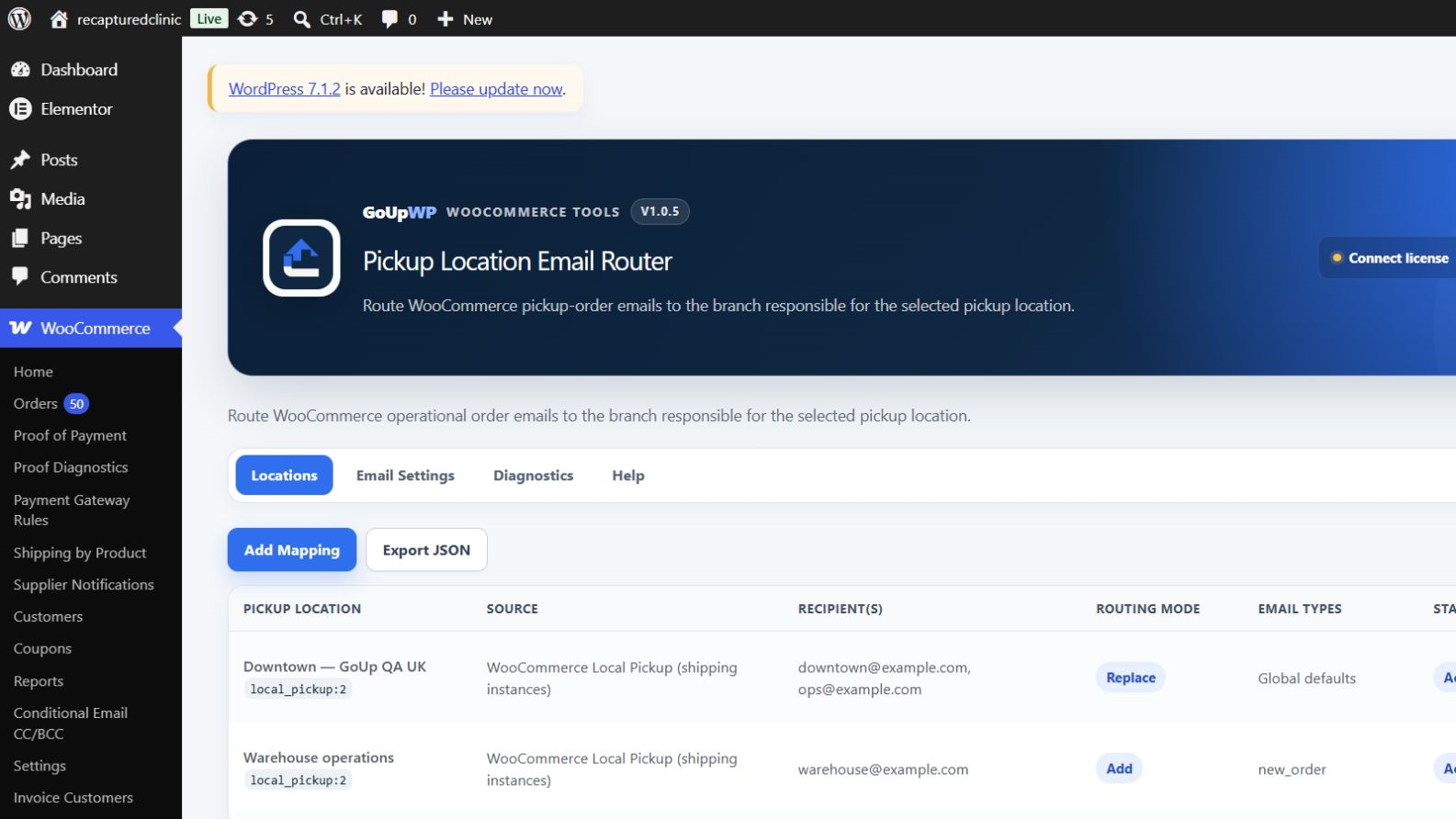
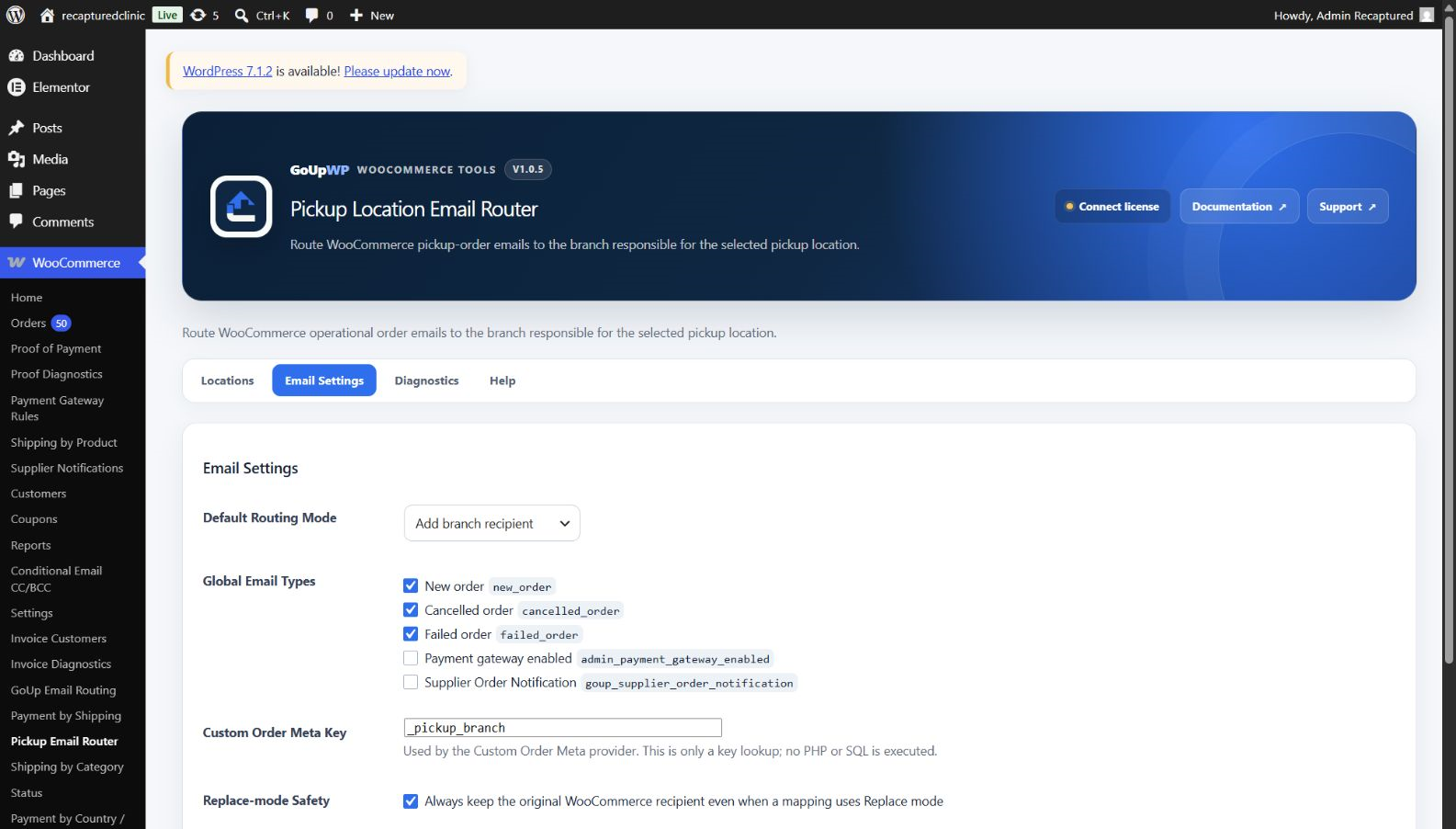
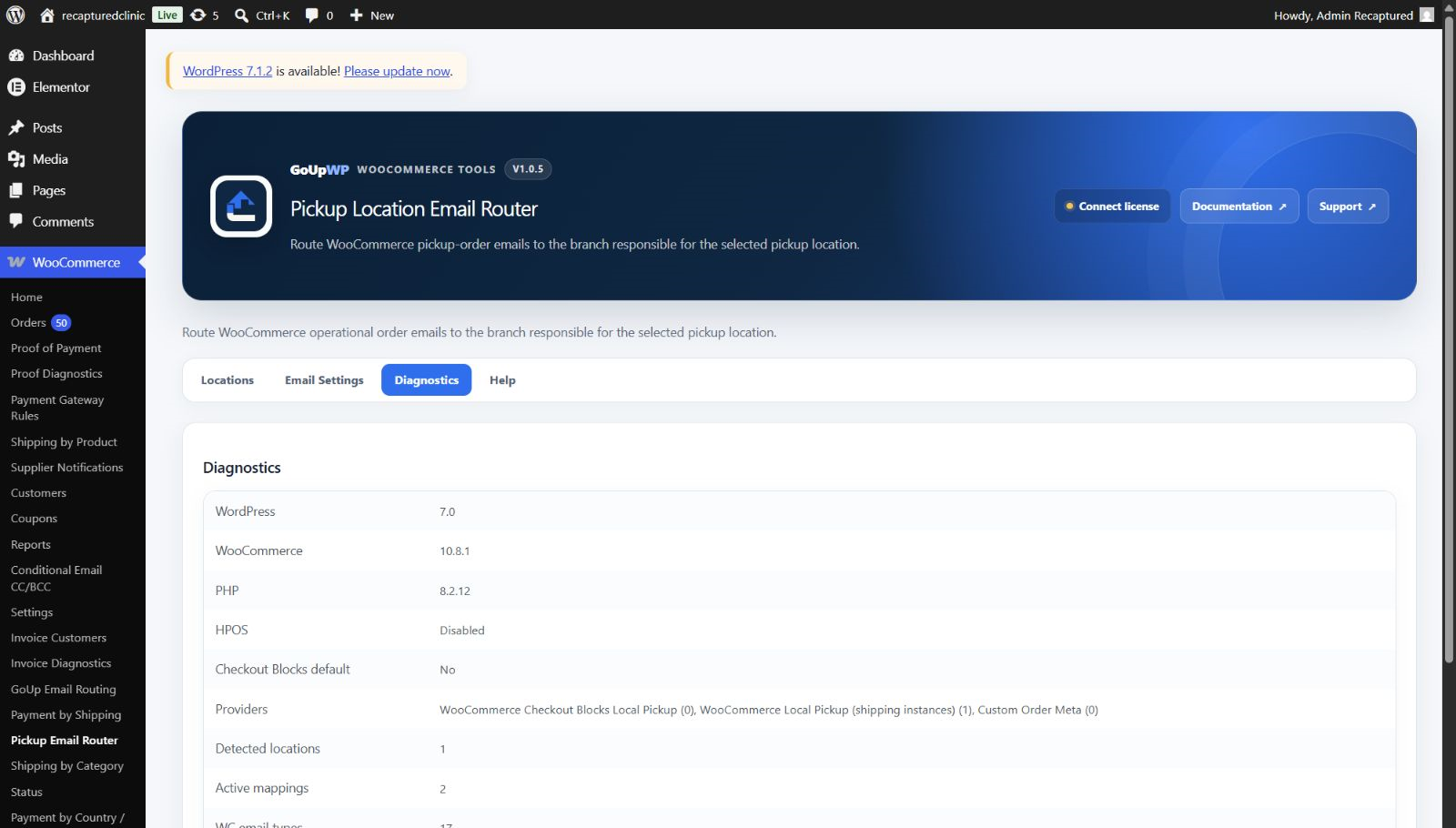
Common use cases
- Send each local-pickup order to the selected retail branch
- Route warehouse pickup orders to the responsible fulfilment team
- Add a regional operations mailbox while retaining the main store recipient
- Map a third-party pickup location stored in order metadata to its branch email
Features
- Map classic Local Pickup instances and native Checkout Blocks pickup locations
- Integrate compatible third-party pickup plugins through a generic order-meta provider
- Add branch recipients or replace the original operational recipient with a safe fallback
- Handle multiple recipients and orders containing more than one pickup location
- Discover WooCommerce email types while protecting customer-facing emails by default
- Preview routing with an existing order and manage mappings through JSON import/export and sanitized diagnostics
How it works
- Download the plugin ZIP from your GoUpWP account.
- Upload, install, and activate it through Plugins → Add New → Upload Plugin.
- Open WooCommerce → Pickup Email Router and add a mapping for each pickup location.
- Select email types and Add or Replace behavior, then use Diagnostics → Routing Tester with an existing pickup order.
Compatibility and requirements
Frequently asked questions
Can each pickup location receive its own new order email?
Yes. Map every Local Pickup location (classic instances or Checkout Blocks pickup locations) to one or more email addresses. When an order selects that location, WooCommerce’s operational email goes to that branch instead of, or in addition to, the store-wide recipient.
Does this send a duplicate email?
No. It changes the recipient list of WooCommerce’s normal operational email through standard recipient filters rather than sending a second message.
What happens when a pickup location has no mapping?
The plugin fails safely and preserves WooCommerce’s original recipient.
Are customer-facing emails redirected to a branch?
Not by default. Customer-facing WooCommerce email classes are excluded unless an advanced setting is explicitly enabled.
Does it support Checkout Blocks Local Pickup and HPOS?
Yes. It retains a stable pickup-location identity for native Blocks orders and reads order data through WooCommerce CRUD APIs for HPOS compatibility.
How do the GoUp email plugins work together?
Each plugin evaluates its own focused routing rules. Recipient-routing plugins adjust their intended WooCommerce messages, while Supplier Order Notifications sends separate supplier-specific messages; test overlapping rules with a representative order before launch.
Customer reviews
No reviews yet. Reviews come only from customers who hold a license for this plugin.
Updates, support, and cancellation
Every license covers one production website plus one staging or local development site, and includes maintained releases, automatic updates, fresh downloads, and product support during its term. Annual licenses renew automatically until cancelled. Two-year licenses are prepaid and renewed manually; lifetime licenses never expire. If a fixed-term license ends, your installed plugin continues working at its current version.
Changelog
1.0.5 27 September 2026 · tested with WordPress 7.1
- Rejects header-like CRLF recipient input and bounds recipient, mapping, note, identifier, and email-type collections.
- Multiple matching Replace mappings now union every branch recipient instead of silently keeping only the last mapping.
- Provider failures and malformed extension filter results now fail safely to the original WooCommerce recipient.
- Runtime-filtered mappings can no longer leak into storage; same-request external option changes invalidate the mapping cache.
- Imports now require POST, capability and nonce checks, strict schema/version validation, actual file-size and extension checks, unique IDs, complete valid rows, and a 500-mapping ceiling.
- Added accurate 403/405 responses, safer enable checks, minimal sanitized logging, and independent installed-version upgrades.
- Unified cards, tables, tabs, buttons, badges, focus states, and warnings with the GoUpWP blue design system.
- Expanded unit and real WooCommerce email-pipeline coverage, including simultaneous Replace mappings.
1.0.4 26 September 2026 · tested with WordPress 7.1
- GoUpWP admin identity: every plugin screen now opens with a GoUpWP header showing the plugin name, version, documentation, support and licence status.
- GoUpWP styling for settings, rule tables, tabs, cards and buttons, scoped to this plugin's screens so WordPress and other plugins are untouched.
- GoUpWP mark on the Plugins screen, Documentation and Support links in the plugin row, and GoUpWP icons on the Dashboard → Updates screen.
1.0.3 20 September 2026 · tested with WordPress 7.1
- Updates: the installer now fetches a freshly signed download link at install time and verifies the SHA-256 checksum, so "Update now" works hours after WordPress last checked for updates.
- Updates: update checks are cached for six hours and the Plugins screen shows a clear message (with a link to the license page) when an update exists but the license is not active.
- License screen: named per plugin in the WooCommerce menu, shows the installed version and a "Check for updates" button, and every string is translatable.
- Plugins screen: Settings and License links on the plugin row.
- Uninstall: releases the license seat on goupwp.com and removes all license data, regardless of the data-retention setting.
- Code style: all source files expanded to readable, documented PHP.
- Email routing attaches when WooCommerce builds its mailer instead of loading every email class on each storefront request.
1.0.2 20 September 2026 · tested with WordPress 7.1
- License screen now explains activation failures (unrecognised key, wrong plugin, site limit reached, expired) and shows the environment, activation counts and end date.
- Activate and Deactivate always contact goupwp.com immediately instead of waiting out a network backoff.
1.0.1 20 September 2026 · tested with WordPress 7.1
- Added the GoUpWP licensing and update client.
- Normalized plugin headers and code style.