
To disable Cash on Delivery by country in WooCommerce, hook woocommerce_available_payment_gateways, read WC()->customer->get_shipping_country(), and unset $gateways['cod'] when the country is not on your allowed list. Without code, GoUp Payment Gateway by Country / Region does it with a rule: pick the countries, states or shipping zones, choose billing or shipping address, and Disable Cash on Delivery.
Key takeaways
- WooCommerce can limit Cash on Delivery to shipping methods, but not to countries; no core gateway has a per-country switch.
- Filter woocommerce_available_payment_gateways and compare WC()->customer->get_shipping_country() to an allowed list to hide COD abroad.
- Use the shipping country for COD (the courier collects the cash) and the billing country for regulatory or fraud rules.
- WooCommerce re-checks the chosen gateway when the order is placed, so a customer cannot pay with a gateway your rules hid for their final address.
Cash on Delivery works well domestically and terribly across borders: the courier cannot collect, the parcel comes back, and you have paid shipping twice. WooCommerce's Cash on Delivery settings let you limit COD to certain shipping methods, but not to certain countries — and the same is true for every other gateway. This guide covers how to disable a payment method by country, state or shipping zone in WooCommerce, first with a code snippet and then with a plugin that needs no code.
What WooCommerce gives you out of the box
Two things, neither of which is enough on its own:
- Selling locations (WooCommerce → Settings → General) restrict which countries can order at all. Useful, but it hides the whole store, not one gateway.
- Cash on Delivery → Enable for shipping methods restricts COD to selected shipping methods. Because shipping zones map to countries, you can sometimes fake a country rule this way, but the moment you add a "Rest of world" flat rate, COD leaks out again.
Some gateways (PayPal Payments, some Stripe integrations) have their own country logic, but it is per gateway and inconsistent. A store-wide rule needs the woocommerce_available_payment_gateways filter.
Option 1: Disable Cash on Delivery by country with a snippet
Add this to your child theme's functions.php. It keeps COD only when the shipping country is the United Kingdom or Ireland.
add_filter( 'woocommerce_available_payment_gateways', function ( $gateways ) {
    if ( is_admin() || ! WC()->customer ) {
        return $gateways;
    }

    $allowed_cod_countries = array( 'GB', 'IE' ); // ISO 3166-1 alpha-2 codes

    $country = WC()->customer->get_shipping_country();
    if ( '' === $country ) {
        $country = WC()->customer->get_billing_country();
    }

    if ( ! in_array( $country, $allowed_cod_countries, true ) ) {
        unset( $gateways['cod'] );
    }

    return $gateways;
} );
To do the reverse — hide a gateway only in certain countries — swap the condition to in_array( $country, $blocked, true ). To act on a state, compare WC()->customer->get_shipping_state() (for example 'CA'). WooCommerce keeps the customer object up to date during the classic checkout's update_order_review refresh and during Checkout Block address changes, so the filter runs with the current address.
Why this is fragile in practice
- Country lists live in code. Adding a market means a deploy.
- Billing vs shipping logic gets copied inconsistently across snippets.
- There is no protection against removing every gateway for a country you forgot.
- If you also hide gateways by product or shipping method, three snippets now fight over the same array.
Option 2: Disable payment methods by country, state or zone without code
GoUp Payment Gateway by Country / Region puts the whole thing in a rules screen under WooCommerce → Payment by Country/Region.
- Rules → Add rule.
- Location type: Country (pick countries), State (pick a country, then its states or provinces) or Shipping zone (pick the WooCommerce zones you already maintain).
- Address source: evaluate the billing or the shipping address. Shipping rules apply only when the cart needs shipping and a destination is known.
- Action: Disable the selected gateways, or Allow only the selected gateways.
- Gateways: tick the ones the rule affects.
- Priority: lower numbers run first. Every matching rule is applied in order, so a later Allow only can narrow a set that an earlier Disable already reduced. Save.
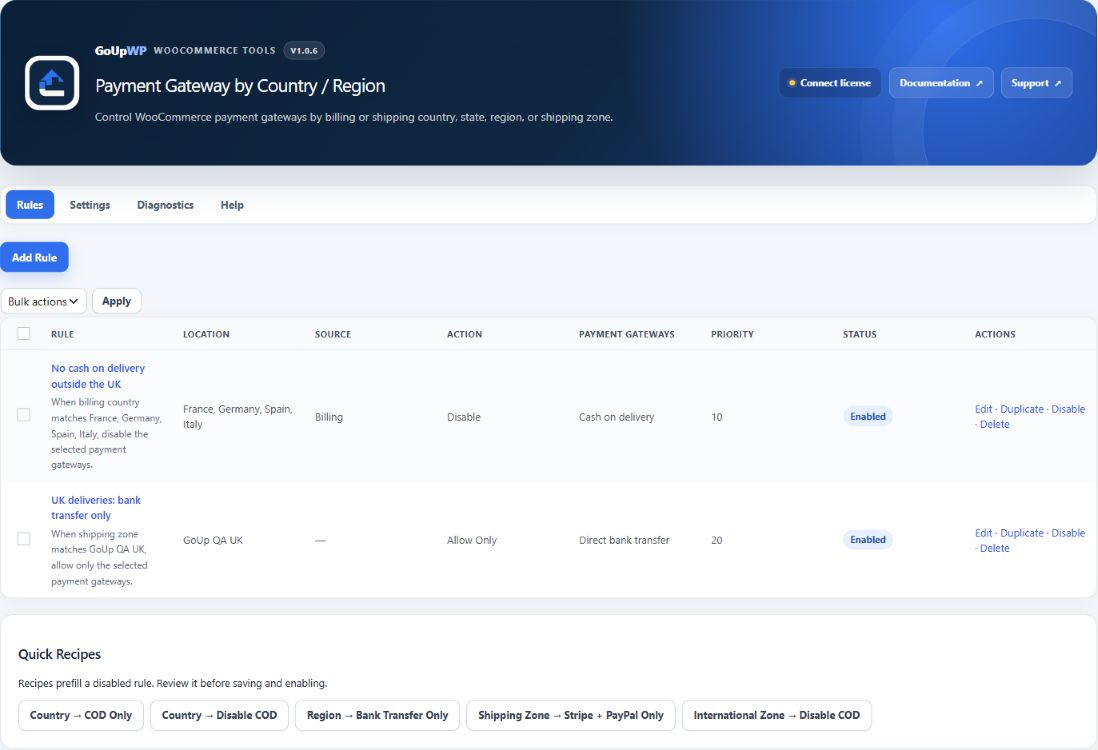
Under Settings, Zero-gateway safety is Safe by default: if the rules would leave a customer with no payment method, the original gateways are restored and a warning is logged. Switch to Strict only if an empty checkout is intentional. Rules work with the classic checkout, the Checkout Block (re-evaluated as the address changes), the "pay for order" page (using the order's own addresses) and HPOS, and export/import as JSON.
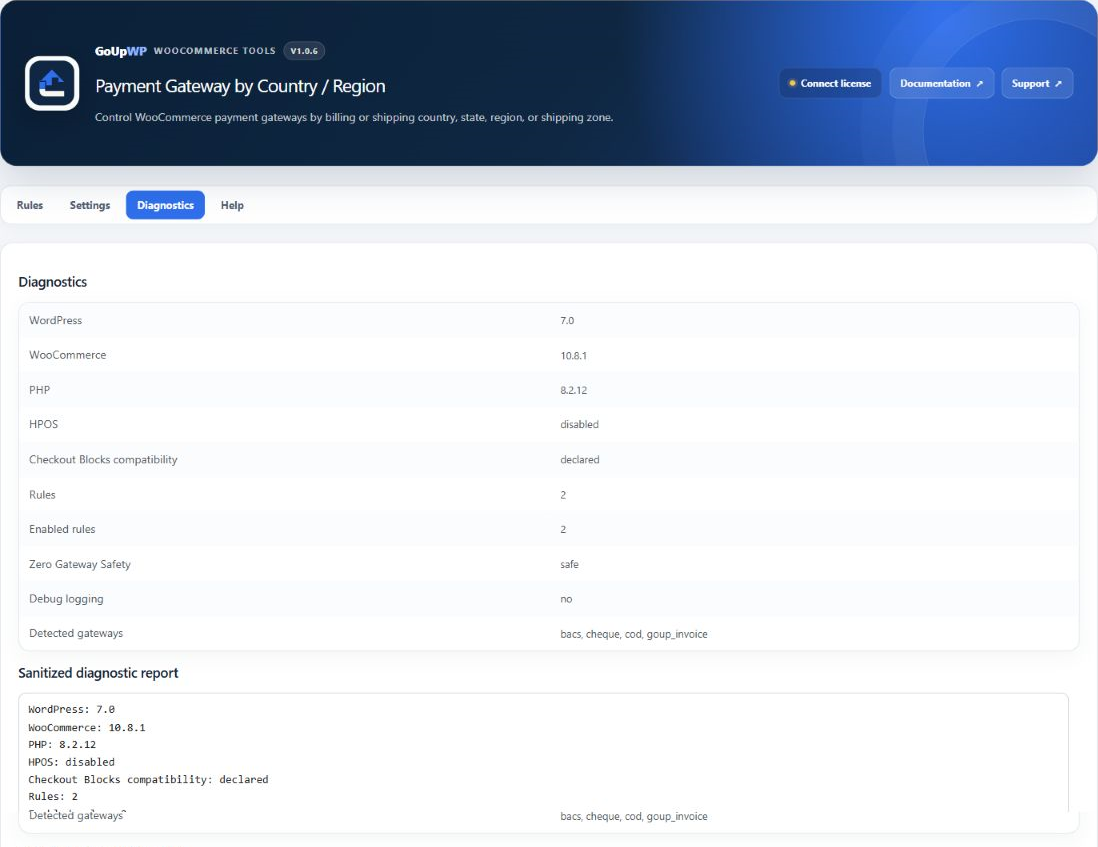
The Diagnostics tab evaluates a cart and address against every rule, so you can check "a German customer shipping to Austria" before a real customer does.
Price: $12 per year for one production site plus one staging site, or $49 lifetime. Documentation · Pricing.
Example rule sets
Cash on Delivery at home only. Location = your non-domestic shipping zones (for example "Europe" and "Rest of world") → Address = shipping → Disable → COD. One rule, and it follows your zone edits automatically.
Bank transfer only for EU customers. Location = Country (27 EU members) → Address = billing → Allow only → Direct bank transfer, Stripe. Non-EU customers keep every gateway.
A licensed gateway for one state. Location = State (US → New York) → Address = billing → Allow only → the licensed gateway. Elsewhere it is hidden.
No PayPal in high-chargeback markets. Location = Country (your list) → Address = billing → Disable → PayPal Payments.
Billing country vs shipping country: which one?
Use the shipping address for anything that depends on physical delivery: Cash on Delivery, courier-collected payments, import-duty gateways. Use the billing address for anything tied to the payer: regulatory restrictions, fraud rules, currency-specific gateways. The plugin lets you set this per rule; in a snippet, decide once and document it.
Troubleshooting
COD shows for an international customer before they type an address. Until an address is entered, WooCommerce uses the Default customer location (WooCommerce → Settings → General): your shop country, the visitor's geolocated country, or none. The rule re-runs as soon as the customer enters an address, and WooCommerce validates the chosen gateway again when the order is placed, so the order cannot go through with a gateway the final address does not allow.
Rules do not apply on the order-pay page. The pay-for-order flow uses the order's addresses rather than the session. GoUp reads them; a snippet using WC()->customer may not.
Two countries in one order. WooCommerce orders have one billing and one shipping address, so this cannot happen — but "ship to a different address" can put them in different countries, which is exactly why the address-source setting exists.
Related guides
- Disable a payment method for specific products or categories
- Hide payment methods based on the shipping method
- Offer Pay by Invoice to approved B2B customers only
- All WooCommerce payment plugins
Summary
WooCommerce has no per-country switch for payment gateways. A snippet that compares the shipping country with an allowed list covers the classic "COD at home only" case. When you need states, shipping zones, different rules for billing and shipping addresses, or protection against a rule set that leaves a country with no way to pay, move the logic into country / region rules with a zero-gateway safety net. The cost of one returned international COD parcel is usually more than the plugin.
Frequently asked questions
How do I restrict Cash on Delivery to my own country only?
Disable it for everywhere else. In GoUp Payment Gateway by Country / Region: Location type = Shipping zone, select every zone except your home zone, Address source = shipping, Action = Disable, Gateway = Cash on Delivery. Customers shipping at home keep COD; everyone else sees only your online gateways. WooCommerce's built-in 'Locations not covered by your other zones' cannot be selected, so make sure every country you sell to sits in a named zone. In code it is one condition: unset $gateways['cod'] when the shipping country is not your ISO code.
Should I check the billing or the shipping country?
For Cash on Delivery use the shipping country — that is where the courier collects the cash. For fraud or regulatory rules (for example a gateway licensed only for one market) use the billing country. GoUp lets you pick per rule.
Can I disable a payment method for one US state or one Indian state?
Yes. Choose Location type = State, pick the country and then the state(s). The snippet equivalent reads get_billing_state() or get_shipping_state() and compares the state code.
Does the rule update when the customer changes the address in the Checkout Block?
Yes. GoUp re-evaluates rules as the address changes, through the Store API, without a page reload. A snippet works too as long as it reads WC()->customer rather than $_POST fields.
Can I use my WooCommerce shipping zones instead of listing countries?
Yes. Location type = Shipping zone reuses the zones you already maintain, so a zone you have named 'Rest of world' becomes a single rule instead of 190 countries.