
To hide a WooCommerce payment method for a specific shipping method, hook woocommerce_available_payment_gateways, read WC()->session->get('chosen_shipping_methods'), and unset the gateway when the chosen method matches — for example remove 'cod' when it starts with local_pickup. Without code, GoUp Payment Gateway by Shipping Method does it with a rule: pick the shipping method, choose Disable or Allow only, tick the gateways.
Key takeaways
- WooCommerce does not link payment methods to shipping methods; the chosen shipping option is stored in the session as chosen_shipping_methods.
- Values are instance IDs such as local_pickup:7 — the part before the colon is the method type, the number is the zone instance.
- Match with strpos() on the type to cover every zone, or compare the full instance ID to target one zone's method.
- Checkout Block pickup locations use the pickup_location type, so a 'no COD for pickup' rule must check it as well as local_pickup.
Tying payment methods to shipping methods is one of the most common WooCommerce customisation requests, and one WooCommerce still does not support natively. Typical needs: no Cash on Delivery for Local Pickup (a customer who collects should pay online first), no PayPal for pallet freight (chargeback exposure on big orders), or cheque only with the "Trade account" delivery option.
Below are both working methods — a functions.php snippet using chosen_shipping_methods, and the no-code route with GoUp Payment Gateway by Shipping Method — plus the mistakes that make either approach silently fail.
How WooCommerce decides which payment methods to show
At checkout WooCommerce stores the shipping choice in the session under chosen_shipping_methods, an array with one entry per shipping package. The value is the shipping method instance ID: flat_rate:3, free_shipping:5, local_pickup:7. The part before the colon is the method type, the number is the instance in a shipping zone.
Payment gateways are assembled separately through the woocommerce_available_payment_gateways filter, and nothing in core connects the two. That is the gap this guide closes.
Option 1: Hide a payment gateway for a shipping method with a snippet
This example removes Cash on Delivery whenever any local pickup method is chosen, and removes PayPal when the chosen method is a specific freight instance (flat_rate:9).
add_filter( 'woocommerce_available_payment_gateways', function ( $gateways ) {
    if ( is_admin() || ! WC()->session ) {
        return $gateways;
    }

    $chosen = (array) WC()->session->get( 'chosen_shipping_methods' );

    foreach ( $chosen as $method ) {
        // Every local pickup instance, in any zone.
        if ( 0 === strpos( $method, 'local_pickup' ) || 0 === strpos( $method, 'pickup_location' ) ) {
            unset( $gateways['cod'] );
        }

        // One specific Flat Rate instance (zone method ID 9).
        if ( 'flat_rate:9' === $method ) {
            unset( $gateways['ppcp-gateway'], $gateways['paypal'] );
        }
    }

    return $gateways;
} );
Find the instance ID by hovering the method under WooCommerce → Settings → Shipping → Zone; the edit link contains instance_id=9. The Checkout Block's native pickup locations use the pickup_location method type, which the snippet above also covers.
Where the snippet approach breaks
- The classic checkout only refreshes payment methods after the
update_order_reviewAJAX call. Some themes replace that JavaScript and the gateway list goes stale. - Instance IDs change when you delete and re-create a shipping method, and the snippet keeps pointing at the old number.
- If two snippets each remove a gateway, a customer can be left with no way to pay and no explanation.
- Nothing is visible in the admin, so the next person to work on the store has to read PHP to find out why PayPal vanished.
Option 2: Disable payment methods by shipping method without code
GoUp Payment Gateway by Shipping Method adds a rules screen under WooCommerce → Payment by Shipping Method. A rule takes about a minute:
- Click Rules → Add rule.
- Shipping methods: pick one or more zone instances ("Flat rate — UK mainland") or a whole method type ("Every Local pickup"). Checkout Block pickup locations appear in the same list.
- Action: Disable the selected gateways, or Allow only the selected gateways (everything else is hidden).
- Gateways: tick Cash on Delivery, PayPal, Stripe, bank transfer — whatever is registered on the site.
- Set Priority (lower runs first) and make sure Enabled is on. Save.
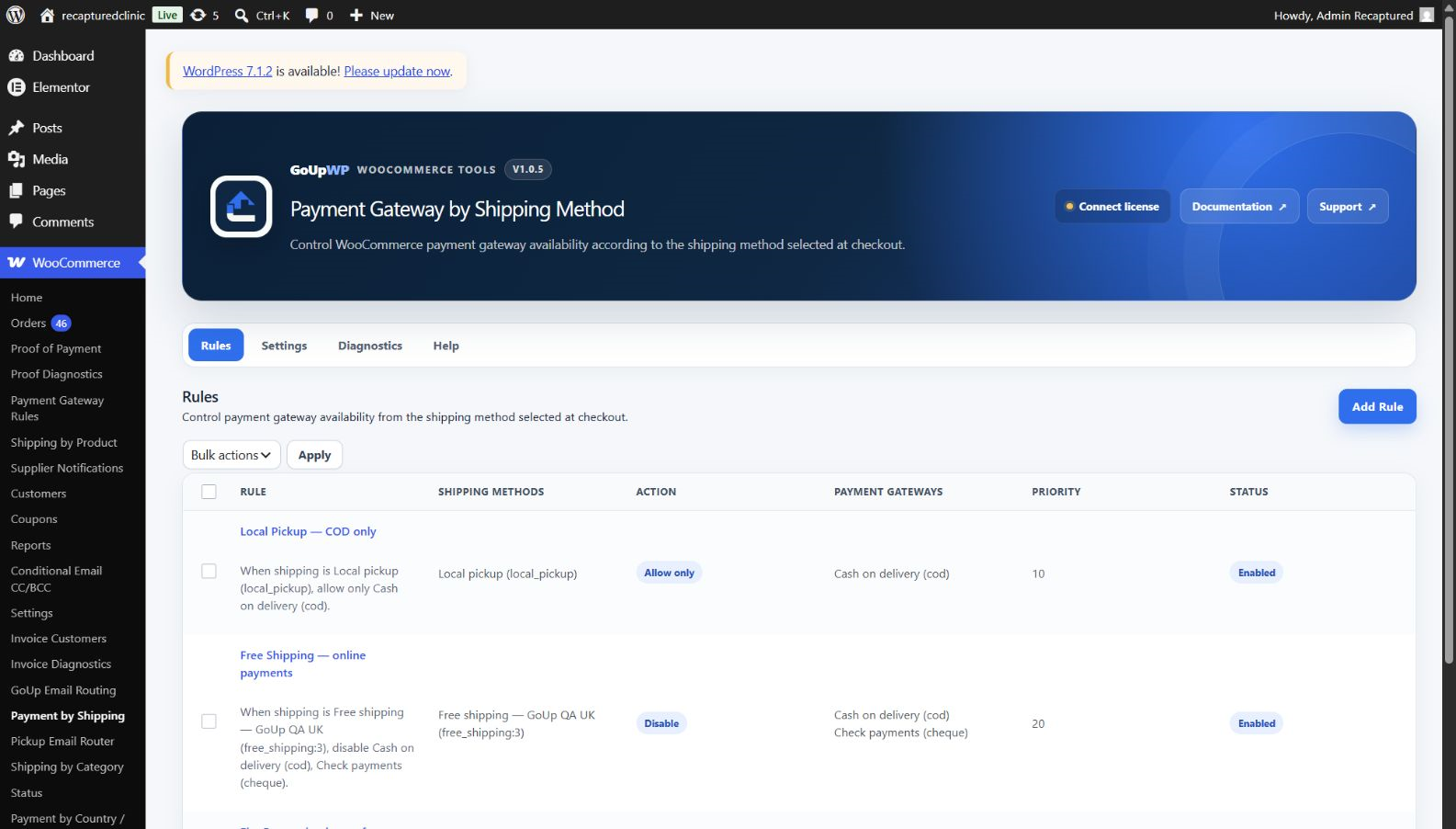
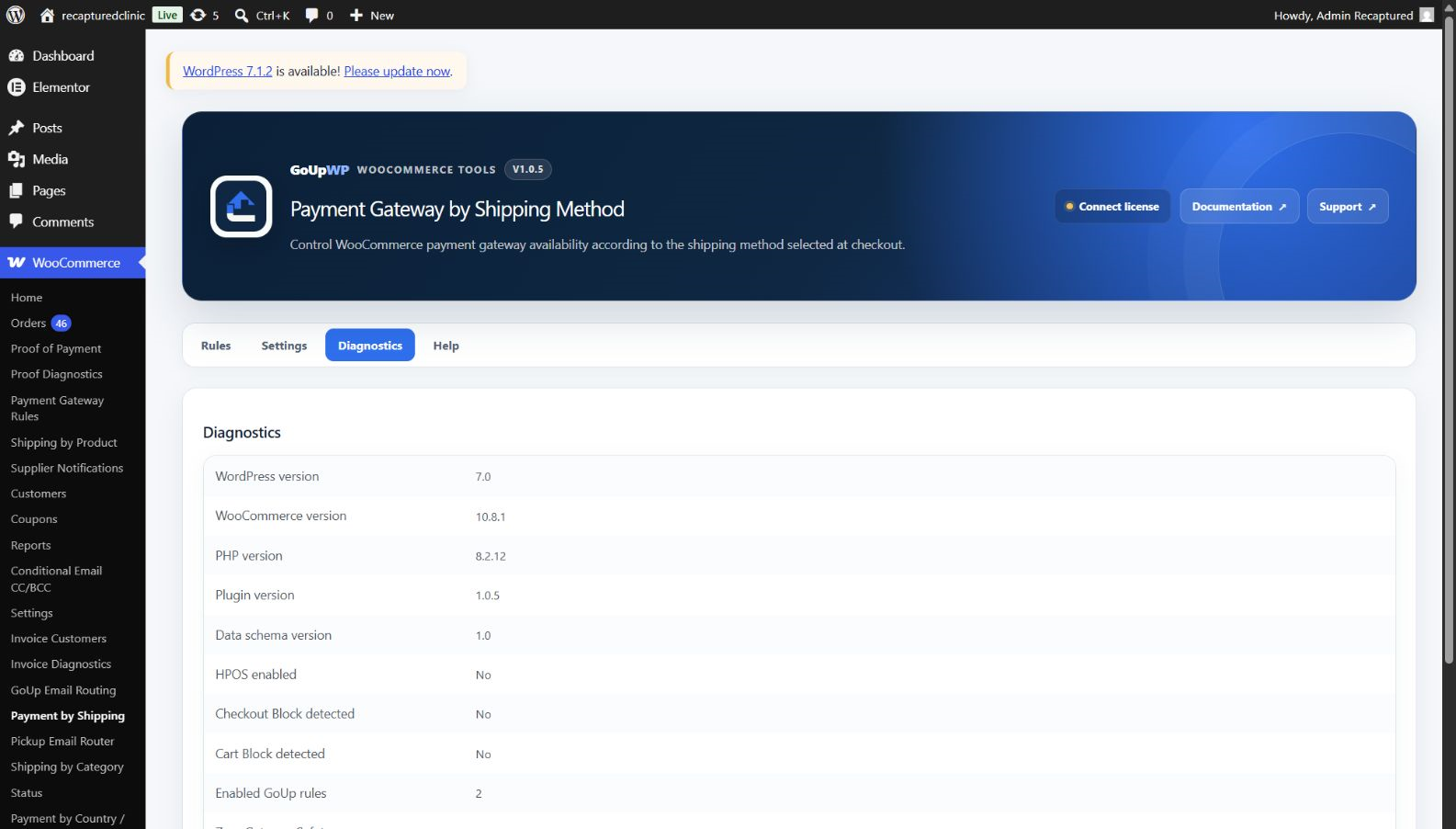
In the Checkout Block, rules re-evaluate instantly as the customer switches shipping options — no page reload. They also apply on the "pay for order" page and with HPOS. Under Settings, Zero-gateway safety defaults to Safe: if your rules would strip every payment method, the original set is restored and a warning is logged, so a mis-configured rule never blocks sales. Rules can be duplicated, bulk-toggled and exported as JSON to copy between staging and production.
Price: $12 per year, or $49 lifetime, for one production site plus one staging site. Documentation · Pricing.
Which approach is right for your store?
| Scenario | Recommendation |
|---|---|
| One rule, you maintain the theme yourself | Snippet |
| Several rules, or rules that change seasonally | Plugin |
| Store uses the Checkout Block | Either — a filter-based snippet works; the plugin also lists block pickup locations by name |
| Non-developer manages payments | Plugin |
| You need "allow only bank transfer for freight" | Plugin's Allow only action, or a loop in the snippet |
Real-world rule examples
- Cash on Delivery only with courier delivery. Rule 1: Local pickup (type) → Disable → COD. Customers who collect must pay online; couriers still take cash.
- No PayPal on pallet freight. Rule: "Pallet delivery" instance → Disable → PayPal Payments. Removes chargeback risk on the largest orders.
- Bank transfer only for the trade-account shipping option. Rule: "Trade account delivery" instance → Allow only → Direct bank transfer.
- Stripe only for international express. Rule: "DHL Express — Rest of world" → Allow only → Stripe.
Troubleshooting
The gateway still shows in the Checkout Block. Your snippet relies on classic-checkout hooks. The block reads gateways via the Store API; use a filter-based snippet or the plugin.
The rule works on the first load but not after changing shipping. A cache or optimisation plugin is holding the checkout fragment. Exclude /checkout/ and /cart/ from caching and from JavaScript deferral.
The instance ID changed. Re-creating a shipping method gives it a new ID. The plugin's rule form shows names, so you simply re-select; a snippet must be edited.
Related guides
- Disable a payment method for specific products or categories
- Disable Cash on Delivery by country or region
- Send Local Pickup order emails to the right branch
- All WooCommerce checkout plugins from GoUpWP.
Summary
To hide WooCommerce payment methods based on the shipping method, read chosen_shipping_methods from the session inside the woocommerce_available_payment_gateways filter and unset the gateways you do not want. Match on the method type when the rule should follow every zone, on the instance ID when it should not, and remember pickup_location for Checkout Block pickup. When instance IDs change, several people manage payments, or a rule must never leave checkout without a way to pay, a rules screen with a zero-gateway safety net is the lower-risk option.
Frequently asked questions
How do I disable Cash on Delivery for Local Pickup in WooCommerce?
Either add a snippet that unsets $gateways['cod'] when the chosen shipping method ID starts with local_pickup, or create a rule in GoUp Payment Gateway by Shipping Method: Shipping methods = Local pickup (type), Action = Disable, Gateway = Cash on Delivery. The plugin also lists Checkout Block pickup locations.
Why does my payment method not update when the customer changes shipping?
The classic checkout refreshes payment methods through an AJAX 'update_order_review' call, so a filter on woocommerce_available_payment_gateways works. If it does not, a caching plugin is serving a stale fragment or the snippet reads the wrong session key. In the Checkout Block, GoUp re-evaluates rules through the Store API without a reload.
Can I target one shipping zone's Flat Rate but not another?
Yes. Every shipping method in a zone has an instance ID such as flat_rate:3. Target that exact instance to limit the rule to one zone, or target the method type (flat_rate) to cover every zone.
What if the rule removes all payment gateways?
GoUp's Zero-gateway safety setting restores the original gateways and logs a warning when a rule would leave the customer with nothing (Safe mode, the default). Strict mode lets checkout show no methods if that is intentional. A snippet gives you no such safety net.
Does this work with WooCommerce Payments, Stripe and PayPal Payments?
Yes. Any gateway that registers with WooCommerce appears in the rule form. Express buttons such as Apple Pay depend on their gateway extension honouring WooCommerce's availability APIs, which the major ones do.